


For Traders Who Find MT4/Limited: In-Depth Guide to cTrader Features & Why It’s Popular

 2026-03-18
Have you ever thought, “MT4 or MT5 is just too clunky…”?
MT4 (MetaTrader 4) and MT5 (MetaTrader 5) are widely used by forex traders from beginners to intermediate levels.
However, many users still experience the following frustrations:
-
Orders execute slowly, often missing the intended price
-
Charts are sluggish and difficult to navigate
-
Indicator setup is complex and hard to understand
-
Outdated design with poor visibility
-
Mobile app is inconvenient to use
Are you tolerating these "frustrations" simply because you feel there are no alternatives?
Currently, many traders facing these challenges are turning their attention to the next-generation platform, cTrader. cTrader offers a sleek interface, fast and transparent order execution, and flexible analytical tools for forex trading.
This article covers everything from basic information about cTrader, differences from MT4/MT5, pros and cons of adoption, broker information, to real user reviews.
Perfect for traders who want to trade more comfortably, more accurately, and more strategically.

Why is cTrader Getting Attention Now?
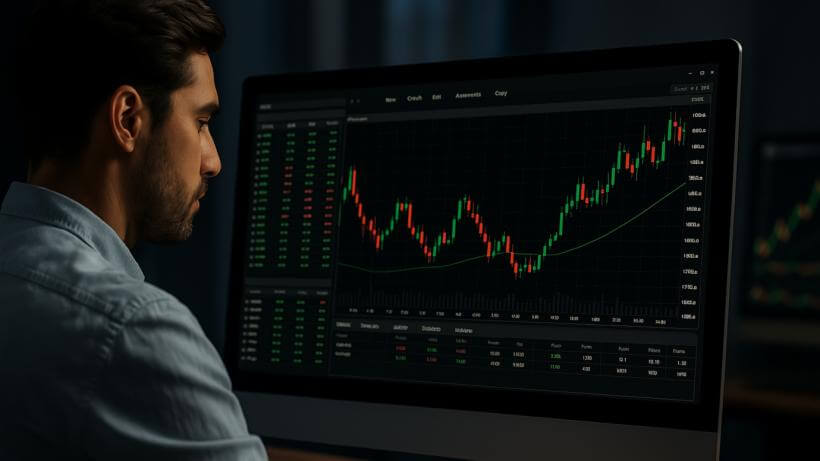
Frustrations of MT4/MT5 Users
The MetaTrader series is the most widely used forex trading platform. However, despite its popularity, many users still face frustrations and limitations.
-
Interface is confusing and difficult to master
-
Order execution is slow, causing slippage
-
Cannot view Depth of Market (DOM) information
-
Low customization options, causing user frustration
-
Unstable performance on Mac systems
For traders who rely on manual (discretionary) trading, these limitations can cause stress, missed opportunities, and reduced focus during trades.
Against this backdrop, more traders are looking for a new tool that allows them to trade more comfortably, accurately, and efficiently.
One platform gaining attention as a solution is cTrader.
Why cTrader is Gaining Positive Reviews on Social Media
Recently, on platforms like Twitter and YouTube, cTrader has been praised for being user-friendly and offering fast order execution.
Many users highlight the following features:
-
Modern, clear, and easy-to-read interface
-
Intuitive one-click order execution
-
Depth of Market (DOM) included as a standard feature
-
User-friendly mobile app experience
-
Ability to analyze multiple charts simultaneously
For traders who have been frustrated with MT4, cTrader represents a highly appealing alternative. For discretionary traders, especially those focused on scalping or short-term trades, fast execution and smooth operation directly affect performance.
Even for users who have only ever used MT4, cTrader offers a platform that opens up new possibilities and attracts significant interest.
What is cTrader? A Beginner-Friendly Guide and How It Differs from MT4/MT5

Basic Overview of cTrader and Its Developer, Spotware Systems
cTrader is a trading platform for Forex and CFD markets developed in 2011 by the Cyprus-based fintech company Spotware Systems Ltd..
From the beginning, the platform was built around the concept of “Trader First.” Its design prioritizes usability, transparency, and fairness in the trading environment.
Unlike MetaTrader platforms (MT4/MT5), which are often designed with broker-side priorities in mind, cTrader focuses on providing a fair and transparent trading environment for traders.
In particular, it works extremely well with NDD (No Dealing Desk) brokers, making it a popular choice for traders who value high transparency in order execution.
cTrader is also a comprehensive ecosystem that integrates multiple trading tools and services, including:
-
cTrader: The core platform for discretionary trading
-
cTrader Automate (formerly cAlgo): Used for developing and running automated trading systems (cBots)
-
cTrader Copy: A social trading feature that allows users to copy other traders’ strategies
What Are the Key Differences from MT4/MT5?
The main differences between cTrader and the MetaTrader platforms can be summarized in two major points.
1. Trading Model (DD vs NDD)
MT4/MT5 platforms can operate under a DD (Dealing Desk) model, where the broker may take the opposite side of a trader’s position.
In such cases, there is a possibility—however small—of price manipulation or requotes (order rejections).
In contrast, cTrader is designed with the NDD (No Dealing Desk) model in mind, meaning orders are routed directly to the interbank market without broker intervention.
As a result, traders may benefit from the following advantages:
-
Fast and accurate execution with reduced slippage
-
Extremely low risk of requotes
-
Greater transparency with built-in Depth of Market (DOM)
2. Usability and Interface Differences
MT4 has been around for more than 20 years, and its user interface now feels somewhat outdated, with limited customization options. MT5 introduced improvements as its successor, but many users still find the interface complicated and difficult to navigate.
In contrast, cTrader offers a modern and highly visual interface, providing a much smoother trading experience with features such as:
-
Simple and intuitive order execution
-
Easy multi-chart display and arrangement
-
Support for theme switching (dark and light mode)
-
Cloud synchronization to save and restore layouts and settings
For traders who are new to trading platforms—or those who simply want a tool that is easy to read and operate—cTrader’s usability can be a major advantage.
Comparison Table: Key Features of cTrader, MT4, and MT5
| Category | cTrader | MT4 | MT5 |
|---|---|---|---|
| Developer | Spotware Systems | MetaQuotes | MetaQuotes |
| Execution Model | NDD (ECN-focused) | NDD / DD supported | NDD / DD supported |
| Depth of Market (DoM) | Built-in | Generally not supported | Broker-dependent |
| UI Design | Modern and intuitive | Outdated but functional | Slightly improved but complex |
| Usability | High (drag-and-drop, one-click trading) | Standard | Improved over MT4 |
| Order Types | Advanced (OCO, trailing stop, timed orders, etc.) | Basic | More features than MT4 |
| Indicators | Approx. 70 built-in indicators | Approx. 30 indicators | Approx. 38 indicators |
| Automated Trading | cBots (C#) | EAs (MQL4) | EAs (MQL5) |
| Copy Trading | Supported (cTrader Copy) | Available via some brokers | Same as MT4 |
| Mobile Support | High performance | Available (simpler features) | Similar to MT4 |
| Number of Supported Brokers | Limited (selective integration) | Very large | Increasing |
As shown above, cTrader stands out in areas that discretionary traders prioritize, such as usability, transparency, and advanced analytical capabilities.
However, for traders who rely heavily on automated trading with EAs or who prefer a wider selection of supported brokers, MT4/MT5 may still be the better choice. In the following section, we will help you determine which platform best fits your trading style.
5 Key Features and Advantages of cTrader
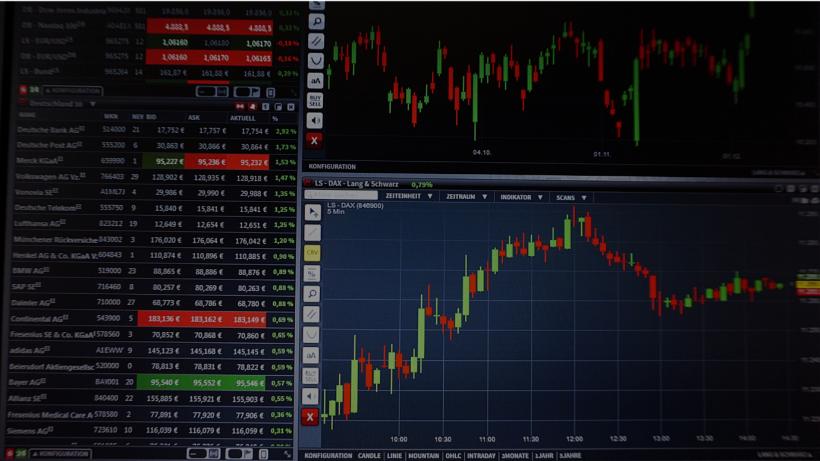
cTrader is highly regarded by many traders because it delivers a strong balance of speed, usability, and flexibility—three factors that directly impact trading precision and overall efficiency. In this section, we highlight five key advantages that set cTrader apart from MT4 and MT5.
1. Fast and Transparent Order Execution (NDD with Depth of Market)
One of the biggest advantages of cTrader is its combination of transparency and high-speed execution.
Built primarily for NDD (No Dealing Desk) brokers, cTrader routes user orders directly to the market without passing through a broker’s dealing desk. This structure provides several important benefits:
-
Extremely fast trade execution
-
Lower risk of requotes or unfavorable execution
-
Built-in Depth of Market (DoM) for visualizing market liquidity
For traders who have experienced situations like “the price moved just before my take profit was triggered,” the execution environment offered by cTrader can provide a much more reliable trading experience.
2. Modern, Intuitive UI with Excellent Usability
One of the first things traders notice when switching from MT4 is the interface of cTrader. Its modern design and logically arranged trading tools make the platform far easier to navigate.
-
Tab-based layout for organizing multiple charts
-
Drag-and-drop chart layout customization
-
Dark mode and light mode themes available
-
Intuitive chart drawing and analysis tools
Many traders describe cTrader as “easy to read,” “easy to navigate,” and “pleasant to use.” Its design focuses on reducing the daily stress of trading by providing a clear and intuitive environment.
3. Strong Support for Automated Trading and Copy Trading (cTrader Automate / Copy)
cTrader is also highly rated by traders who use automated trading strategies.
While MT4 and MT5 rely on the proprietary MQL language, cTrader allows strategy development using cBots based on the widely used C# programming language, offering greater flexibility for developers.
-
Developers benefit from abundant external resources and high scalability
-
Beginners can automatically copy professional traders using cTrader Copy
-
Each copy strategy provides transparent performance data and risk metrics
The availability of a robust social trading ecosystem—which allows users to follow experienced traders without coding—makes cTrader particularly attractive for those who want to start automated trading.
4. Advanced Charting and Analysis Tools (70+ Indicators)
cTrader also provides powerful charting and technical analysis tools, which are essential for discretionary traders.
-
Over 70 built-in indicators included by default
-
Indicators categorized by type: trend, oscillator, volume, etc.
-
Multi-timeframe analysis possible with multiple charts displayed on one screen
-
Comprehensive drawing tools: trendlines, channels, Fibonacci, and more
Additionally, drawn lines and indicators automatically snap to price levels, saving time on manual adjustments. Order lines on the chart can be easily moved with drag-and-drop, creating an ideal environment for traders who prefer visual trade planning.
5. Multi-Device & Cloud Sync for Seamless Trading Anywhere
cTrader also ensures consistent usability across all devices.
-
Available on PC, web, and mobile apps
-
Cloud synchronization tied to your account allows the same layout and settings across devices
-
Trade seamlessly at home or on the go with consistent experience
Unlike MT4/MT5, where each device required manual setup, cTrader significantly reduces this effort.
Designed for modern traders who want to trade “anytime, anywhere, with the same feel”.
These are the five core strengths of cTrader.
In the next section, we will honestly cover potential drawbacks and considerations you should know before getting started.
cTrader: Drawbacks and Considerations Before Getting Started

No platform is perfect for every user, no matter how advanced it is. Here, we outline the key considerations and potential drawbacks you should know before adopting cTrader.
Since suitability depends on each trader’s style and environment, use this information to assess whether cTrader is right for you.
Limited Number of Supported Brokers
cTrader only partners with brokers that offer NDD (No Dealing Desk) execution, so the number of supported brokers is smaller compared to MT4/MT5.
-
MT4/MT5: Supported by hundreds of brokers
-
cTrader: Supported by a limited selection of brokers
As a result, you may find that your current broker does not offer cTrader. When opening a new account, always check in advance whether the broker supports cTrader.
However, major trusted brokers like Axiory, TradeView, and FxPro do support cTrader, making it a practical choice for most traders.
No Compatibility with MT4 Assets (EA & Indicators)
For users who already use automated trading (EA) or custom indicators on MT4/MT5, the biggest challenge is that existing assets cannot be directly transferred to cTrader.
-
MT4/MT5: Uses proprietary MQL language (MQL4/MQL5)
-
cTrader: Uses C#-based cBot/cIndicator
As a result, tools built in MQL cannot be used in cTrader as-is. To use them, they must be rewritten from scratch in C#, which requires programming knowledge.
This limitation has minimal impact for discretionary traders, but it can be a significant hurdle for EA users considering the switch.
Overall, cTrader has some limitations, but by understanding them, you can make an informed decision and choose the platform that fits your needs.
In the next section, we provide a self-check guide to help you determine whether cTrader is suitable for you.
Self-Check: Who is cTrader Best Suited For?
How many of the following statements apply to you?
-
You feel frustrated using MT4 or MT5
-
Your chart interface is hard to read and hinders analysis
-
Your orders are often delayed, resulting in unfavorable execution
-
You want to utilize Depth of Market (DoM) data
-
You want smooth trading on mobile devices
-
You want to monitor and analyze multiple currency pairs simultaneously
-
You plan to try EA or copy trading in the future
If three or more of these apply to you, cTrader is likely a very good fit.
Who is cTrader Best Suited For
cTrader is an ideal choice for users with the following needs:
-
Prioritize smooth usability and a modern interface
-
Focus mainly on discretionary trading
-
Emphasize execution speed for scalping or short-term trades
-
Want efficient chart analysis and order management
-
Maintain a consistent environment across PC and mobile devices
-
Plan to adopt automated trading or social trading in the future
For these users, cTrader can significantly enhance trading efficiency and comfort.
Who Might Not Be Suited for cTrader
On the other hand, consider carefully if your situation matches any of the following cases.
-
Already using many EAs or indicators on MT4
-
Invested significant resources in custom MQL-based tools
-
Your current broker does not support cTrader
-
Feel stressed about the time required to adapt to a new platform
In particular, the inability to transfer EA assets can be a major reason to hesitate when switching to cTrader, so it is important to evaluate your trading environment and goals before making a decision.
The next section will guide you step-by-step on how to start using cTrader, covering basic operations and addressing questions like “I want to try it, but how do I start?”
How to Start with cTrader|Step-by-Step Guide from Setup to Basic Operations

"I want to try cTrader, but I don’t know where to start."
For those new to cTrader, we’ve prepared a step-by-step guide covering basic operations. Using a demo account allows you to explore the platform risk-free, making it easy to get started.
Step 1: Choose a cTrader-Compatible Broker
Start by selecting an FX broker that supports cTrader.
Popular brokers include:
-
Axiory
-
TradeView
-
FxPro
Detailed characteristics and how to choose the right broker will be explained later.
Step 2: Open a Demo or Real Account
Once you’ve chosen a broker, open an account. For beginners, starting with a demo account is recommended.
-
Only an email address and basic information are required
-
Experience trading risk-free in an environment simulating real markets
-
Perfect for getting familiar with the platform and order methods
Once you feel comfortable, proceed to open a real account. Many brokers allow you to manage both MT4/MT5 and cTrader under a single account.
Step 3: Create a cTrader ID and Log In
After opening an account, create a cTrader ID (free account).
-
Register via the official cTrader website or your broker’s dashboard
-
Use this ID to log in to Web, PC, and mobile versions with a single account
-
Required for utilizing cloud sync functionality
Once the ID is created, you can replicate the same trading environment across all devices.
Step 4: Launch cTrader on PC, Web, or Mobile
cTrader is available in three formats:
| Platform | Features |
|---|---|
| PC (Mac/Windows) | High-performance; ideal for multi-chart setups and automated trading |
| Web (Browser) | No download required; access your account from anywhere |
| Mobile (iOS/Android) | Optimized mobile UI; smooth charting and order execution |
Use mobile on the go and PC at home while keeping data fully synchronized across all platforms.
Step 5: Learn Basic Operations for Orders, Charts, and Indicators
cTrader is highly intuitive, but it’s important to master these three basics:
Placing Orders
-
Select order type (Market, Limit, Stop) from the order panel
-
Drag order lines on charts to adjust SL/TP levels
-
Supports one-click orders
Chart Operations
-
Display multiple charts simultaneously
-
Save and load chart layouts easily
-
Switch between dark and light themes
Adding Indicators
-
Over 70 built-in indicators available
-
Right-click on the chart → “Add Indicator” to insert easily
-
All settings can be customized
It may feel a bit confusing at first, but hands-on use will quickly make you comfortable.
With these steps, you’ve completed the basic setup to start using cTrader. The next section will introduce recommended overseas brokers compatible with cTrader, comparing their features and support services.
【2026 Edition】Top 3 Recommended Overseas Brokers for cTrader

To use cTrader, you need to open an account with a broker that supports the platform. Here, we’ve carefully selected three brokers with strong track records, and high reliability.
RYOEX – A Broker Built for the cTrader Ecosystem
RYOEX is a CFD broker focused on the cTrader trading ecosystem, offering full support for the platform and its advanced trading tools. For traders who prefer using cTrader as their main trading platform, RYOEX provides a dedicated trading environment designed around speed, transparency, and low trading costs.
Features:
-
cTrader-focused trading: Full support for the cTrader platform and ecosystem
-
Commission: From $0 depending on the account type
-
Swap: 0 swap fees on all trading instruments
-
Execution: Average execution speed within 30 ms
-
Instruments: 1000+ trading products, including forex, gold, oil, indices, stocks, and cryptocurrency CFDs
-
Minimum deposit: From $5
Recommended for:
-
Traders who want a broker specialized in the cTrader ecosystem
-
Traders who hold positions for longer periods and want swap-free trading conditions
-
Beginners who prefer a very low minimum deposit
-
Traders who want access to a wide range of CFD markets
Axiory – Flexible Trading Conditions with Multiple Platforms
Founded in 2011, Axiory is an international FX and CFD broker offering multiple trading platforms including MT4, MT5, and cTrader. It is known for its flexible account types, competitive spreads, and relatively low entry barrier for retail traders.
Features:
-
Multiple platforms: MT4, MT5, and cTrader available
-
Spreads: From around 0.2 pips on EUR/USD (Nano Account)
-
Execution: STP/ECN execution model with fast order processing
-
Account types: Nano, Standard, Max, Tera, and Alpha accounts available
-
Minimum deposit: From $10
-
Risk protection: Segregated client funds and negative balance protection
Recommended for:
-
Traders who want access to MT4, MT5, and cTrader in one broker
-
Beginners looking for a low minimum deposit to start trading
-
Traders who prefer tight spreads and ECN-style trading conditions
-
Scalpers or strategy traders who value fast execution
TradeView | A Strong Choice Focused on Transparency and Tight Spreads
TradeView is a broker established in 2004 and headquartered in the Cayman Islands, offering a highly transparent trading environment built around an NDD execution model. It is particularly popular among scalpers and experienced traders who use cTrader.
Key Features:
-
Spread: EUR/USD average 0.1 pips (among the tightest in the industry)
-
Commission: $5 per lot round turn (cTrader account)
-
Execution Speed: Extremely fast, ideal for short-term trading
-
Minimum Deposit: From $100
Recommended for:
-
Traders who prioritize ultra-tight spreads
-
Scalpers and high-frequency traders
FxPro – Global Reputation and Stability
Founded in 2006, FxPro is a European broker with clients in over 173 countries. It offers cTrader, MT4, MT5, and proprietary platforms, providing traders with a wide range of options.
Features:
-
Spreads: Average 0.3 pips for EUR/USD on cTrader accounts
-
Execution: Average execution speed 0.0013 seconds, no requotes
-
Reliability: Regulated by multiple financial authorities (e.g., UK FCA)
-
Minimum deposit: $100
Recommended for:
-
Traders who want a globally trusted broker
-
Traders seeking a wide range of platform and trading environment options
[Comparison Table] Key Features of 3 Brokers
| Item | RYOEX | Axiory | TradeView | FxPro |
|---|---|---|---|---|
| Swap-Free | ◎ All instruments, no application required | △ Limited, application required | △ Limited, application required | △ Limited, application required |
| Commission (Round Turn) | $0 (depending on account type) | $6 | $5 | $4.5 (variable) |
| Execution Speed | Very fast | Fast | Very fast | Extremely fast |
| Reliability | High | High | High | Very high |
| Minimum Deposit | $5 | $10 | $100 | $100 |
When choosing a broker, it’s important to consider not only trading costs but also support quality, reliability, and compatibility with your trading style.
[Real User Reviews] Check What Traders Are Saying

While information on cTrader is still limited, gathering feedback from actual users reveals its strengths and areas to watch. In this section, we look at real reviews from social media and review sites to evaluate cTrader’s performance.
Positive Feedback: "Clean UI", "Fast Execution", "Depth of Market Handy"
Positive reviews mainly highlight usability and order execution. Compared to MT4/MT5, many users find cTrader’s interface easier to read and more intuitive.
-
"Charts are much clearer than MT4. The mobile app is exceptional."
-
"Execution speed is extremely fast, with minimal slippage."
-
"Depth of Market is available by default, which is essential for scalping."
-
"Intuitive UI. Even beginners can use it without confusion."
In particular, the completeness of the mobile app and the ability to read the order book in detail using DoM (Depth of Market) have garnered high praise for conveniences that MT4 couldn’t offer.
Negative Reviews: "Limited Supported Brokers" & "EA Incompatibility"
On the other hand, the following points have been raised as concerns when considering adoption:
-
"I wanted to try it, but my current broker isn’t supported"
-
"It’s unfortunate that the EAs I used on MT4 can’t be used"
-
"The UI is good, but initial setup can be a little confusing for first-time users"
In this way, there is a certain number of users who feel dissatisfied with the limited broker options and the inability to carry over MT4 assets (EAs and indicators).
However, these comments mainly come from users already accustomed to the MT4 environment, and for new users starting fresh, these issues are unlikely to be a major hurdle.
Who Is cTrader Best Suited For, According to User Reviews
Looking at the reviews overall, people with the following characteristics tend to strongly appreciate the advantages of cTrader:
-
Discretionary traders who prioritize usability and visibility
-
Scalpers and short-term traders using Depth of Market data
-
Users who want a comfortable trading environment on mobile devices
-
Users who care about UI/UX and want a stress-free experience
Conversely, for those already accustomed to MT4 with a fully set up environment or relying heavily on EA operations, it may be more realistic to consider cTrader only as a "secondary option".
In the next chapter, we will address common questions that potential users might have in a Q&A format, providing practical answers such as "Can I use cTrader alongside MT4?" and "Can I operate it only on my smartphone?"
FAQ | Resolving Common Questions Before Getting Started

Are you interested in cTrader but find yourself with detailed questions when you actually try to use it?
In this section, we answer frequently asked questions from users considering cTrader, highlighting the key points.
No, you cannot.
MT4 and MT5 use their proprietary MQL language, whereas cTrader uses C#-based cBot and cIndicator. Therefore, EAs and indicators created in MQL will not work on cTrader.
To migrate, tools must be rebuilt or outsourced. However, for discretionary traders, this impact is minimal.
Yes. cTrader itself is free to download and use.
However, to place trades you need to open an account with a broker that supports the cTrader platform. Trading costs such as spreads, commissions, or swap fees depend on the broker and the account type you choose.
Many brokers offer cTrader on desktop, web, and mobile, allowing traders to access the platform from different devices.
Yes, cTrader can be fully used on a smartphone.
With iOS and Android apps, basic trading functions—including one-click orders, chart analysis, and alerts—can all be performed on your mobile device.
However, advanced tasks are better suited for a PC environment:
- Displaying multiple charts simultaneously
- Editing automated trading programs (cBots)
- Complex drawing and indicator configurations
It’s ideal to first test the mobile app for usability, and then introduce the PC version as needed.
Yes, you can.
Depending on the broker, you can hold both MT4 and cTrader accounts under the same account.
This allows you to compare the interface and order environment to choose the platform that suits you best. Additionally, transferring funds is often easy through the broker's member page, making it convenient to first test cTrader on a demo account and then move to full use if satisfied.
We hope this Q&A helps clear up any doubts or concerns about starting with cTrader.
In the next chapter, we summarize the content and review which type of traders cTrader is best suited for, helping you take your next steps.
Summary | Elevate Your Trading Environment with cTrader

So far, we’ve explored cTrader’s features and benefits, the differences from MT4/MT5, how to get started, and supported brokers. Finally, let’s review the key points and see what kind of option cTrader could be for you.
Key Takeaways from This Article
-
cTrader is a next-generation platform that outperforms MT4/MT5 in usability, execution speed, and transparency
-
The clean, intuitive UI and advanced charting features are especially popular among discretionary traders
-
Features like Depth of Market and one-click orders make it ideal for short-term trading
-
Supports automated trading and copy trading, offering flexible strategies
-
Be aware that EA/indicator migration is required and the number of supported brokers is limited
Is cTrader Right for You? Final Checklist
If three or more of the following apply to you, it’s worth giving cTrader a try.
-
You are dissatisfied with MT4’s usability
-
You value fast execution speed
-
You want to analyze charts in a comfortable environment
-
You want to trade effectively on your smartphone
-
You want to trade while monitoring Depth of Market
-
You are interested in copy trading or automated trading
-
You want a platform with a polished, intuitive UI
Next Step: Try cTrader with a Demo Account First
"I’m interested, but switching immediately feels risky..."
For such cases, starting with a demo account is recommended.
-
Experience cTrader with zero cost and zero risk
-
Check the actual usability and UI at your own pace
-
Feel the difference from MT4 and choose the platform that suits you best
Especially with brokers like RYOEX that specialize in the cTrader ecosystem, traders can benefit from a trading environment optimized for the platform and start trading with confidence.
Changing your trading platform is a significant step that directly impacts your efficiency and comfort. Experience the optimal trading environment for you with cTrader.
 Open an Account with RYOEX (Free)
RYOEX Official Website
Open an Account with RYOEX (Free)
RYOEX Official Website
Enjoyed this article? Share it with your network!


RYOEX Official Media is an information platform created specifically for traders, offering the latest news, analysis, guides, and more. From beginners to experienced traders, we provide useful content to help you stay informed and succeed in your trading endeavors.


